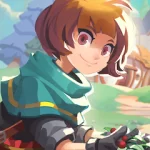




wind up knight,well created 3D advature game,game is really nice and tested and work on all hvga and qvga devices
Requirement : Android 2.2 or higher
Features:
- Over 50 soul-crushing levels.
- Pick-up-and-play game play.
- Super high-end 3D graphics technology. A showcase for your phone.
- Crazy platforming action: double jumping, wall sliding, dive and roll, just to name a few cool moves.
- A secret card is hidden in EVERY level.
- Four unique worlds.
- Deviously cute art style.
- Power up with game-changing equipment and weapons.
- Original soundtrack by Josh Whelchel.
Download Link:
wind up knight apk
Install apk and play
Awesome Game,no lags on galaxy Ace froyo
ReplyDeleteWhy this game not installing on my galaxy pop when i install on my phone it starts and says not installed
ReplyDelete@suryado u have 2.2 froyo in ur pop?
ReplyDeleteYes my pop have 2.2 froyo and now i have tested that some more .apk is not installing like can knowk down 2 , opera mini ,and some more please halp me royal gamer because now my phone is not installing any .apk
ReplyDeletePlease reply me fast and help me yaaar
ReplyDeletePlease help me yaar i am so sad why my phone is doing like that
ReplyDeleteThanks for the post. But it ain't working in my galaxy fit. At first, it was having trouble to get installed. And after trying for abt 5 times it got installed. But now when i try to play the game the "robot invader" (don't remember the name correctly) appears and then after 2 or 3 minutes it closes. I am running cyanogen mod 7.2 on my galaxy fit
ReplyDelete@sajas i dont know about cyanogenmod ,its working on ace 2.3.3 great
ReplyDeleteAnd wat abt galaxy s
Deleteon galaxy s will work ya,all games from this blog will work on ur galaxy s,just dont download gameloft games,non gameloft games will work on ur galaxy s without any problem
DeleteWow Good Fine Saif is a Nice Game
ReplyDelete@suryai dont know about ur problem,update ur galaxy pop to 2.3 and all problem will be gone
ReplyDelete@Draco Osolol im not a game but wind up knight is a nice game,and what device do u hve? please inform us
ReplyDeletecan you post the new Gameloft games for glaxymini like gangster 3
ReplyDeleteWind Up Knight 3D looks good, I will prove it ^^
ReplyDeleteThanks!!
are dhinka chikaa mein too bhai pagal hoon :) haa :( saif to bhi hai kyaa :D
ReplyDelete"really nice and tested and work on ALL hvga and qvga devices"
ReplyDeleteare you sure that you tested this on ALL hvga and qvga phones???
Hey @royal gamer I have see Minecraft P.E. in your applications.. Did it work on armv6 devices?
ReplyDeleteP.S What Phone did you use for this video?
it doesnt respond on wildfire s ocassionaly
ReplyDeleteHow come when i click the download link it downloads a .txt dile and not an .apk file?
ReplyDeletebro..its so so slow in my samsung galaxy fit though my internal memory is 75M+ and sd card is also arnd 100M its so slow...downloading..plzz help yaar i playd this game in a frnds phone..and its amazing..!!
ReplyDeletehey surya try to back up all ur apps and empty ur android secure using ur pc this will remove the bug came from aap2sd i can't sujest u the exact file... wait for that... sry
ReplyDelete@royal gamer ... crashes after pressing play button help.....
ReplyDeleteroyal gamer now i am having android 2.3.6 gingerbread but when i installed the game there was some graphic problem my man neck is very up some more problems are there in this game
ReplyDeleteanonymous and royal gamer i want your help my phone us galaxy mini with 2.3.6 but my phones internet is runing so slow i also have go to service center for this problem they have told me to get internet settings but after that again this problem i asked from docomo costomer care but they have told me that there is not problem from them so my download stops between so i am facing from a big problem because i have to download things again and again because download stops in between so please help me yaar because you two are genius and i kmow you will get soliution for this also please please please help me
ReplyDelete@Surya maybe its because of your phone came back to 2G network,make sure that u have a 3G network selected in ur settings ,3G network is 3 times faster than 2G network
ReplyDeleteroyal gamer in my galaxy pop now i am having 2.3.6 and in settings i have selected use packet data because i dont know how to select 3g network please tell me from where to select 3g network because in network settings there is no option to select 3g network please tell me from where to select 3g network
ReplyDelete@surya you will not get 3G options if u r using cyanogenmod ,but in ofical stock rom there is a network selection like 2G or 3G in network seting but in cyanogenmod there is no seting like this
ReplyDeletebut i have updated galaxy mini android from service center and i have not rooted my phone so whats the problem
ReplyDelete@Surya then go to service center they will help u because of warranty of ur phone
ReplyDeletehi royal gamer i have asked from service center they have told me that there is no 3g option in any android version or unhone to mujhe new galaxy s2 mai bhe dekhaya so can u please tell me rhat where to go for 3g option settings/wirless networks/then where to go please help me
ReplyDelete@surya
ReplyDeleteSurya it is simple in the network settings u will get option like UMTS or GSM something like that,UMTS=3G network,if u dont have an options like this then i couldnt help u sorry,in my galaxy fit there wasnt any option like this when i was on 2.2 froyo but after update to gingerbread i got this option
yes yes there is option of GSM and WCDMA but not umts please can u tell me that wahat it was on your phone it was WCDMA or umts
ReplyDelete@surya lol that is called 3G options,i always select wcdma which means 3G network,CDMA means 2G and Auto Network means both,selece wcdma,and ur gprs will be boost up
ReplyDeletethank u royal gamer now i am your big fan and i want your id and i want to meet you where you live because i am from punjab/jalandhar
ReplyDeletethere was some graphics problem in this game players neck is so high and there some more problems please help me
ReplyDelete@Surya why do u want to meet me? surya skip this game if u get graphics problem.......
ReplyDeletei want to meet you because i am your big fan you get solution of every thing
ReplyDelete@Surya sure we will meet one day
ReplyDeletetwo question:
ReplyDelete1.Do it have minecraft for optimus one(HVGA)?
2.In the end of the first level for collecting all coins you must jump and run against a block to turn and collect a few coins but instead of turning, the game is crashing.
What could i do to fix the bug?
(The game was moved sd)
It has a new version wih more options, can you make it work for arm6v HVGA please?
ReplyDeleteCrashing evrytime
ReplyDeletepls fix!!
What is with the new version and/or the fix?
ReplyDeletelet us know about...
@Royal gamer,
ReplyDeletepls fix the crash and error pls....
@Royal Gamer,
ReplyDeletepls look at xda there is a new version.
You can play until level 3 without bugs
but in level 4 or 5 you can't continue.
I can't give you a screenshot or screencast because the picture/movie is black instead of showing us the funny(looking) bug
Please answer
try this one
DeleteMaybe it is because i have cm7.
DeleteWith this version i can play more levels,
but not more than 4 levels...
I found this one before and then on xda.
Will it work on galaxy y
ReplyDeleteyes
Deleteit worked in Galaxy Mini but some graphics glitch is present. Head is floating way up the screen, everything else is fine with no lag or such only the head is floating.
ReplyDeletei have same problem "Head is floating way up the screen, everything else is fine with no lag or such only the head is floating"
ReplyDeletecan u fix it ?thank
Mediafire link says "File Belongs to Suspended Account."
ReplyDeleteHelp
new links are added thankyu
DeleteThis comment has been removed by the author.
ReplyDeletethe game forse closes everytime when i click on play option. please RG reply me fast. I am having galaxy ace duos S6802
ReplyDeleteskip this game
Delete